
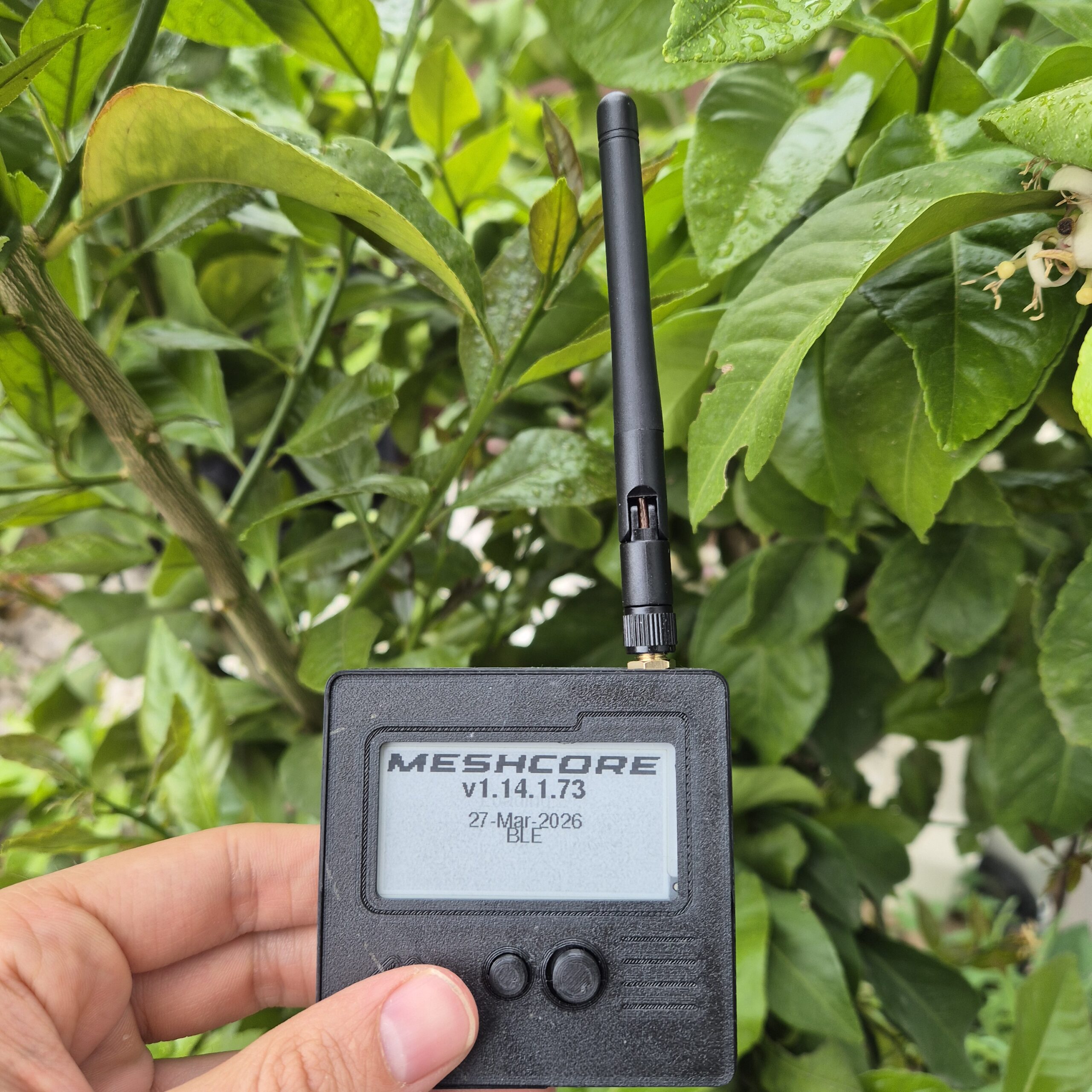
Over the last few weeks, I’ve been analyzing LoRa networks (MeshCore and Meshtastic), trying to understand how they work and seeing how they perform in my local environment. I started with zero prior knowledge of the network, so in this post, I will try to explain the basic things for people who want to get started, providing a clear vision of how it works. I’ll answer several questions: the choice of protocol, the hardware I ended up using, and my first real impressions after setting it up.
Table of Contents
Toggle1. Understanding the network
There is a very common misunderstanding when someone first discovers LoRa mesh networks like Meshtastic or MeshCore. People assume they are a solution for setting up their own sensor network, independent of the internet, where devices report data back to you. While it’s an attractive use case, that’s not what these networks are designed for.
The best way to understand them is as a chat network, very similar in concept to a mobile network, but without centralized infrastructure or commercial coverage. It’s person-to-person communication via text, without depending on the internet or cell towers.
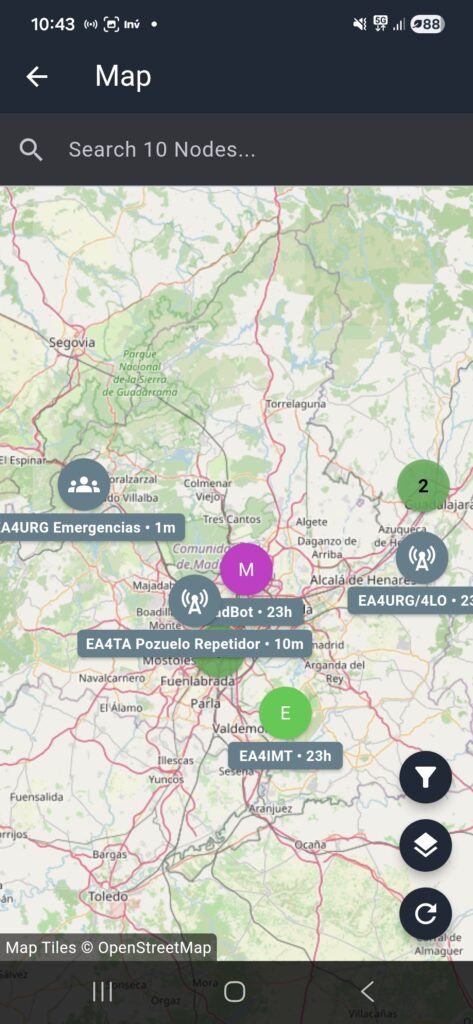
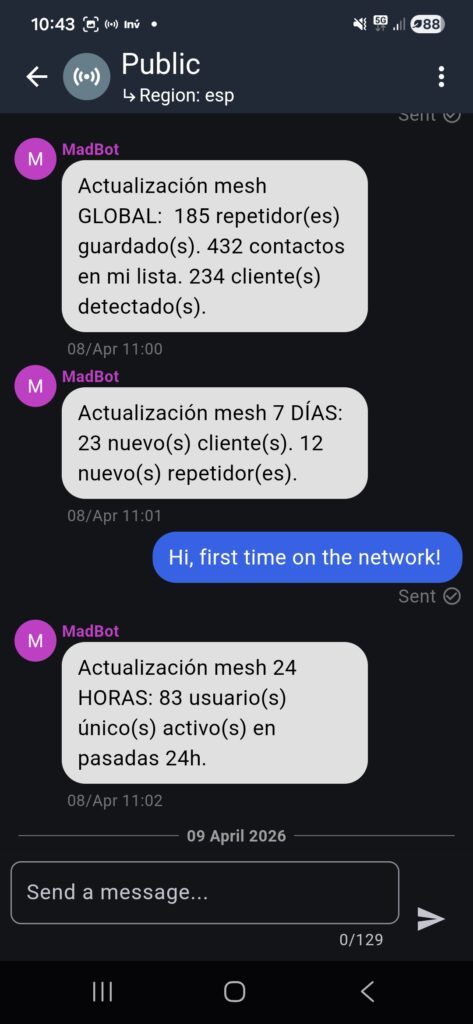
In the following images, you can see how the mobile app interfaces with the MeshCore device: the first one shows a map view of the nodes you’ve discovered, and the second shows an active group chat channel.
If what you want is a sensor network that reports data autonomously: greenhouse temperature, tank levels, asset tracking… the right technology is LoRaWAN. It is designed from the ground up for that model: devices sending telemetry to a centralized gateway that processes and stores it. Both technologies use the same radio modulation (LoRa) but solve completely different problems.
That said, MeshCore does have sensor functionalities (which we’ll see later), but always with a human in the loop: someone actively querying data from their companion device, rather than a continuous stream of automated telemetry.
1.1 Roles: Each device does one thing
What distinguishes MeshCore from other mesh systems is that each node has a fixed role, and that role is not a configuration setting but a different firmware. There is no checkbox to enable or disable functions: you flash the firmware corresponding to the role you want, and the device performs that function and only that function.
Companion:
This is your personal node, the one you carry in your pocket and connect to your phone via Bluetooth. It sends and receives your messages but does not retransmit anything not addressed to it. If it hears someone else’s packet, it ignores it.
Repeater:
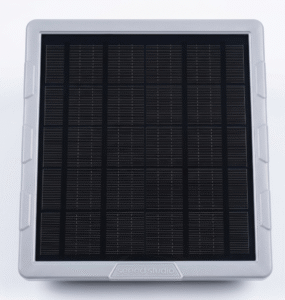
Its only job is to receive packets and forward them toward their destination. It doesn’t generate its own traffic. Ideally, you install it high up with continuous or solar power and forget about it. The network discovers it automatically.
Room Server:
The network’s “mailbox.” It stores messages with timestamps and delivers them when someone reconnects up to the last unread messages. It turns the network from synchronous to asynchronous.
Sensor:
A silent node that only responds when a companion actively asks it. It doesn’t transmit on its own initiative, which drastically reduces power consumption making it ideal for sensor nodes that periodically report temperature, humidity, or any other environmental data without draining the battery.
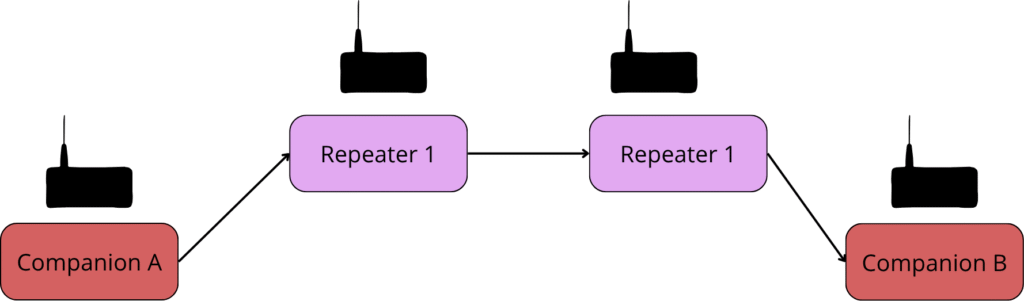
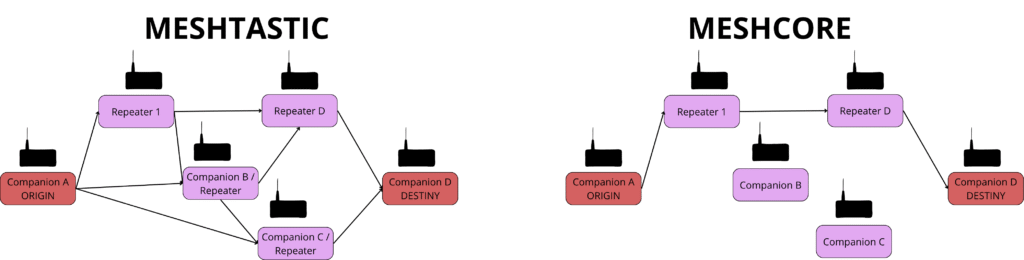
The diagram below illustrates a typical MeshCore path: a companion node reaches another companion through two repeaters in sequence. Each hop extends the effective range of the network, and the path is cached after the first successful delivery.
1.2 Technical Radio Data
For two nodes to communicate, all devices on the network must share exactly the same radio configuration. A common mistake for beginners is skipping the research, you need to check online to find the specific parameters used in your local area.
In Europe (868 MHz ISM band), the most used frequency by the MeshCore community is 869.525 MHz. Other key parameters are the Spreading Factor (SF) and the Bandwidth (BW).
- SF controls how much time is spent transmitting each bit: a high SF (SF11, SF12) gives more range but slower transmissions; a low SF (SF7, SF8) is faster but has a lower link margin.
- BW determines the bandwidth used: wider means more data speed but more susceptibility to interference and lower sensitivity.
2. Meshtastic vs MeshCore: The key decision
The first thing I had to resolve was: Meshtastic or MeshCore? Both use LoRa, both form mesh networks without centralized infrastructure, and both run on identical hardware. But they are not the same.
Meshtastic is the most popular, has a larger community, more documentation, and more projects on GitHub. It’s great. But in the end, I chose MeshCore. The main reason: Most nodes in my area are MeshCore. This was the deciding factor. Setting up a Meshtastic node with no one to talk to doesn’t make much sense. If a specific protocol predominates in your area, the smartest move is to join it.
Beyond that, there are architectural differences that convinced me technically:
2.1 Improvements in topology
In Meshtastic, all nodes rebroadcast all messages (both clients and repeaters). This is the flooding model: the message spreads through the network until it reaches its destination. It works, but at the cost of saturating the channel with retransmissions that are often unnecessary.
MeshCore works differently. Devices have clearly defined roles. Your companion node does not retransmit traffic. If a message isn’t for you, you ignore it. This keeps the channel cleaner and extends the battery life of personal devices.
The first time you send a message to someone, the network “floods” to find the path. Once delivered, the path is recorded, and subsequent messages go directly through that route. If a repeater goes down, the system retries, resets the path, and searches again. It fails gracefully and self-heals.
Keep in mind that Meshtastic has introduced silent client mode in more recent versions, allowing client nodes to stop rebroadcasting. However, this is not the default behavior, it requires the device owner to explicitly configure it. In MeshCore, role separation is built into the firmware from the start: there is no option to misconfigure it.
2.2 The Room Server: A very useful feature
In synchronous networks, if someone isn’t connected when you send a message, that message is lost. MeshCore solves this with the Room Server: a fixed node that acts as a mailbox. It stores messages with timestamps, and when the recipient reconnects, it “pushes” everything they missed.
2.3 A more efficient sensor model
In Meshtastic, telemetry nodes send their data periodically to the network. They are constantly transmitting even if no one is listening. MeshCore uses a pull model: the sensor stays silent until a companion node requests the data. Only then does it transmit. This drastically reduces the power consumption of sensor nodes and keeps the channel free of unnecessary traffic. For a battery-powered sensor in a remote location, the difference in autonomy can be massive.
3. Hardware
For this test, I’ve been working with two modules from Seeed Studio.
3.1 Wio Tracker L1 E-Ink
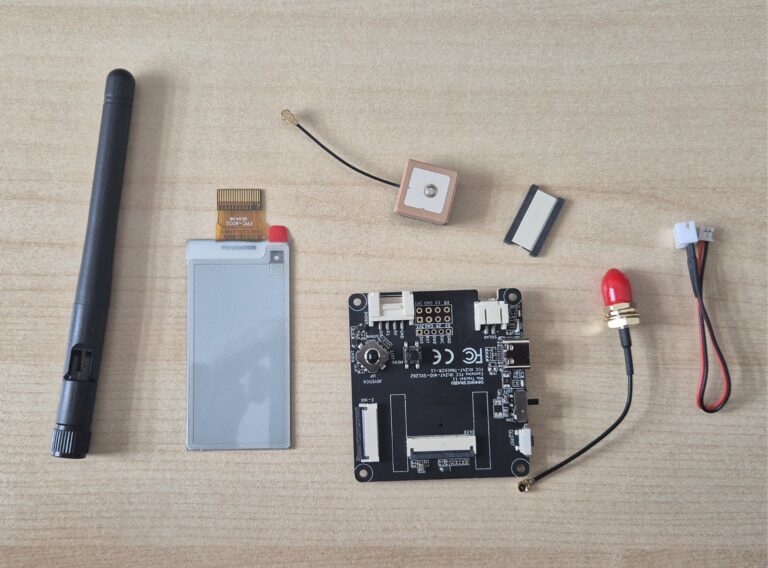
The Wio Tracker L1 E-Ink has an nRF52840 as the main MCU, a LoRa radio with SX1262 (862–930 MHz), integrated L76K GPS, and a removable 2.13-inch e-ink display. All in a very compact package.
However, after holding it for a while, I reached a conclusion: for use as a personal companion node, the screen is almost irrelevant. The companion connects to the phone via Bluetooth, and the entire chat interface, contacts, and messages happen in the app. Trying to chat using a button and a D-pad on the device’s screen is awkward at best.
The e-ink screen is a great plus if you want to check for incoming messages without constantly reaching for your phone, though you definitely won’t be using it to type out replies.
I recommend you to print this case: https://www.thingiverse.com/thing:7111686
Click to buy:
- Meshtastic Wio Tracker L1 LoRa
- SeeedStudio Link – Coupon [8T0ZAJ8W]
3.2 XIAO ESP32S3 + Wio-SX1262
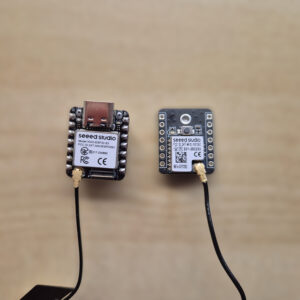
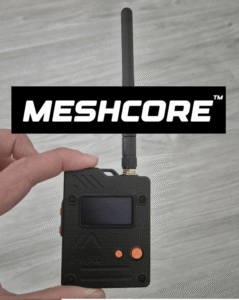
The XIAO ESP32S3 kit with Wio-SX1262 is a tiny combo: the XIAO ESP32S3 is very small, and the Wio-SX1262 module stacks on top, adding the LoRa transceiver.
For the companion role, which is what I carry in my pocket, this combo makes more sense. No screen, no GPS, no elaborate case. Just radio, processor, Bluetooth for the app, and a battery. The essentials. The mobile app does the rest.
Click to buy:
3.3 Hardware conclusion
The Wio Tracker L1 is a solid choice but its higher price make it less ideal if you want to quickly glance at incoming messages on the go. For a personal companion, I’d go with the XIAO ESP32S3 + Wio-SX1262 : the performance ends up being essentially the same, but at a fraction of the cost. That said, the Wio Tracker’s form factor is arguably more attractive and pocket-friendly, which does count for something if you’re carrying it around. Both are genuinely useful, and the right choice depends on what you value most.
4. Conclusion
MeshCore’s role-based architecture makes much more sense for real-world use than Meshtastic’s flooding: less channel noise, better battery life for the companion, and the Room Server adds an extra layer that most mesh networks lack.
From my own experience, range varies enormously depending on placement. With a well-situated node, I’ve managed to ping stations over 16 km away without issue. But if the location is poor: surrounded by buildings, in a valley, or at ground level, the communication becomes very difficult or simply won’t link. Elevation is everything with LoRa.
The interesting part is once you reach a repeater: from there, it tends to chain to others, and the range extends. Using this hop-based propagation, I’ve been able to detect radio stations up to 200 km away(as visible in the OpenStreetMap image at the top of this post).
In the next post, I will go into detail on how to create a fixed device configured as a Repeater that can be solar-charged, aiming for total autonomy.
If you have any questions or are already using MeshCore in your area, reach out through the contact page!
Absolutely well written. I’m trying to figure this out myself but the journey has been fun. I’m a bit on an island by myself. None of my friends see any use for this stuff. The cell phone in the hand is really taken for granted. I bought a Wio Tracker L1 Pro this weekend and i’m bouncing between Meshtastic and Meshcore trying to find some traffic. I’ll figure it out sooner or later.
Have a good day !
Dave in Deland Florida
Thanks for your words! Feel free to ask me if you have any question
Pingback: How to flash Meshcore firmware - myembeddedstuff.com
I agree with Dave. Very nice written for beginners and I am one as well. So thank you for your blog and time already!
However, as you offer to ask any questions:
Which antennas are used for the PCB devices, like the ones pictured in the last image? I have gotten a Heltec V3 but only the PCB itself without antenna so I am still searching for the right antenna model which is usually included by default (but wasn’t in my case). Can you help here?
Also another question regarding the different roles:
I could use the Heltec V3 in all roles (Companion, Repeater, Server) depending on the flashed firmware, right? So where should a server be placed in an ideal world? Near the last repeater in the message chain (near my communication partner) or at the start of the chain (near me) or somewhere in between? – The last option seems a little wrong to me ’cause then (in theory) I would only need one server in the city center to establish a “mailbox” for all active people in town chatting from one side of the city to the other side or what am I getting wrong here? Or will the mailbox only be configured for me and no one else will be able to use it?
Thank you very much in advance.
Have a great weekend.
Thanks for your words! I’m really glad you liked it.
Regarding the antenna for the Heltec V3, you can use these adapters:
https://s.click.aliexpress.com/e/_EvdZx9M
And then use screw-on antennas like the 868MHz or 915MHz ones, depending on your region’s configuration.
If you prefer flexible ones: https://s.click.aliexpress.com/e/_EjxHRVy, but keep in mind that their performance is worse than the others.
About the Heltec V3, you can configure it in Meshcore depending on what you need. I wrote a post about it if you’re interested. It will act one way or another depending on the firmware configuration.
Regarding the placement of the Room Server, it should be near a repeater or in an area with a direct connection to one, in order to extend the Room Server’s range as much as possible.
Hope this helps!
Pingback: Deploying a MESHCORE repeater (I). How to perform OTA updates on NRF devices. - myembeddedstuff.com