
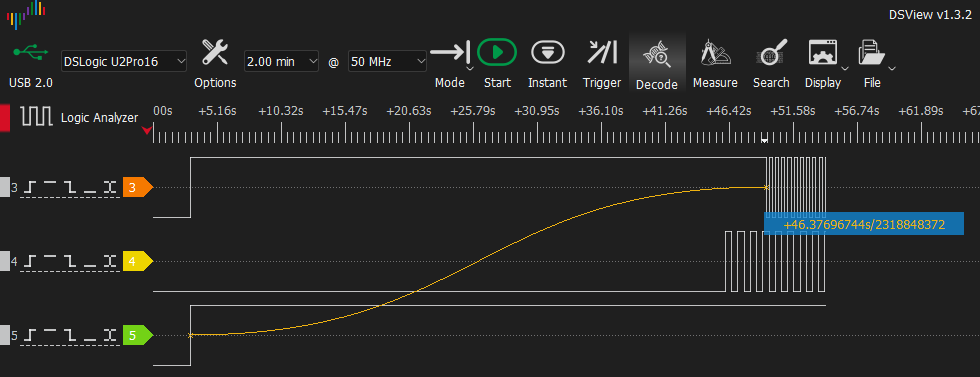
In this post, I’ve put together a selection guide to help you choose the right logic analyzer based on your protocol requirements and budget. From my perspective, if you are working with electronic systems, across all levels of hardware, including entry-level microcontrollers (STM32, ESP32, Arduino) to SBCs (Raspberry Pi, BeagleBoard, etc.), a logic analyzer is a must tool in your lab.
When you start looking for one, you’ll notice a massive price gap depending on performance. While there is plenty of information online, most sources lack a deep technical comparison between the current models on the market.
In this guide, I will break down the essential technical specs you must evaluate before purchasing. Following that, I’ll analyze several logic analyzers and their core features, concluding with a side-by-side comparison across different price points to fit any budget.
Table of Contents
ToggleLogic Analyzer Key Points.
1. Sample Rate
The Sample Rate is the number of times a signal is collected per second. To avoid aliasing and ensure accurate data, you need a sample rate significantly higher than the fastest signal you intend to capture.
Nyquist Limit (2x): The theoretical minimum. It only tells you if there is activity, but it’s unreliable for data analysis.
Real-World Use (4x – 5x): The bare minimum to decode slow protocols without sync errors.
High Precision (10x): What you actually need to debug hardware timing issues, measure exact response times, and see real pulse widths.
| Signal / Protocol | Real Freq. | SAMPLE RATE MinIMUM | Sample RATE RecOMMENDED |
|---|---|---|---|
| I2C / UART | < 1 MHz | 10 MS/s | 25 MS/s |
| Standard SPI | 10 MHz | 20 MS/s | 100 MS/s |
| SDIO (SD Card) | 25-50 MHz | 100 MS/s | 500 MS/s |
| QSPI Flash | 20-133 MHz | 266 MS/s | 1.3 GS/s |
| HSE (Crystal) | 8-32 MHz | 64 MS/s | 320 MS/s |
| USB Full Speed | 12 Mbps | 24 MS/s | 120 MS/s |
| USB High Speed | 480 Mbps | 840 MS/s | 5 GS/s |
2. Sampling Method
Stream Mode: You see the data in real-time (with a tiny offset). Memory isn’t the bottleneck here because everything is sent directly to your PC. This is my preferred method, because it’s much more intuitive as long as your sample rate is sufficient.
Buffer Mode: Data is stored in the device’s internal memory. This usually allows for higher sample rates, but you can’t see the results until the capture is finished.
3. Channels and Bandwidth
These are the number of signals you can sample simultaneously. Word of caution: on many budget analyzers, using all channels at once will throttle your max sample rate. Aim for at least 8 channels as a starting point.
| Signal / Protocol | Required DATA Channels |
|---|---|
| I2C | 2 Channels (SDA, SCL) |
| UART | 2 Channels (TX, RX) |
| Standard SPI | 4 Channels (CS, CLK, MOSI, MISO) |
| SDIO (SD Card) | 6 Channels (CLK, CMD, DAT0-3) |
| QSPI Flash | 6 Channels (CS, CLK, IO0-3) |
| HSE (Crystal) | 1 Channel |
| USB Full Speed | 2 Channels (D+, D-) |
| USB High Speed | 2 Channels (D+, D-) |
| Parallel LCD | 8 – 16 Channels |
4. Triggering
Triggers allow you to sync the capture with the exact moment an event happens. Rather than sifting through thousands of samples of noise, you can set a condition (edge, pulse width, or protocol address) to start recording precisely when the data starts flowing.
5. Threshold Voltage
I recommend a tool that supports up to 5VDC. Even though most modern systems run at 3.3V, 1.8V, or even lower, having 5V tolerance prevents you from smoking your new tool if you encounter legacy hardware. Ideally, look for adjustable thresholds to ensure clean logic level detection
6. Software
Protocol Decoders: The most important feature. You don’t want to see raw lines; you want the software to say: “Here is the I2C Start bit, and the data is 0xAF.”
Ease of Use: Features like fast mouse-wheel zooming and markers for precise timing measurements are essential.
Community Support: Whether it’s open-source (PulseView/Sigrok) or industry-standard (Saleae), a strong community ensures you’ll have decoders for the latest or most obscure protocols.
Logic Analyzer Selection Guide: By Price Range
The following list organizes the most common market options by cost. Prices are estimates based on official distributors and platforms like AliExpress.
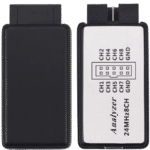
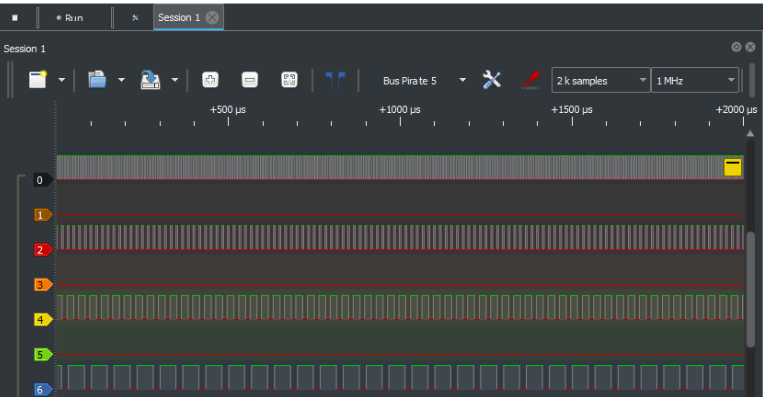
Generic Logic Analyzer (8 ch / 24 MHz) - [~$10]
The most basic tool. Based on the Cypress CY7C68013A chip, it lacks internal memory and relies entirely on the USB bus bandwidth. Suitable exclusively for slow protocols such as I2C, UART, or PWM for educational purposes.
From my perspective, if you are a student on a tight budget, these might get the job done for next to nothing. However, if you can afford it, I highly recommend investing in something better. A cheap, unreliable tool can easily trap you in a whole afternoon of debugging a ‘ghost error’ that simply isn’t there. In my experience, the frustration isn’t worth the savings. I personally don’t recommend them for serious work.
Link to buy: [LogicAnalyzer Distributor]
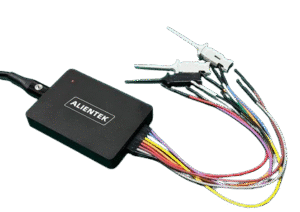
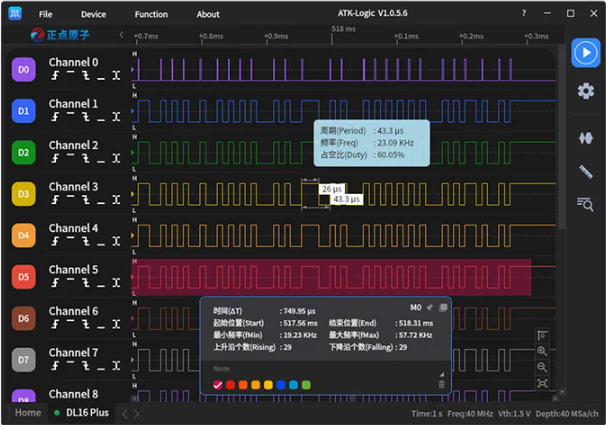
ATK-DL16 (16 ch / 250 MHz) - [~$63] / ATK-DL16 Plus (16 ch / 1 GHz) - [~$100+]
These devices represent a significant step up that doubles the channel count and allows for standard SPI bus analysis. While I haven’t personally tested all these devices yet, their specs and price make them a solid alternative for those on a budget. Within this category, the Alientek DL16 stands out as a powerful option; it’s a 16-channel, 250 MHz device known for its high sample rate and support for Sigrok-based software, providing a flexible open-source workflow for more advanced protocol analysis.
I haven’t personally tested these yet, but based on their specs and price, they seem like a solid alternative.
Link to buy: [Alientek Distributor]
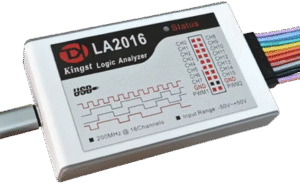
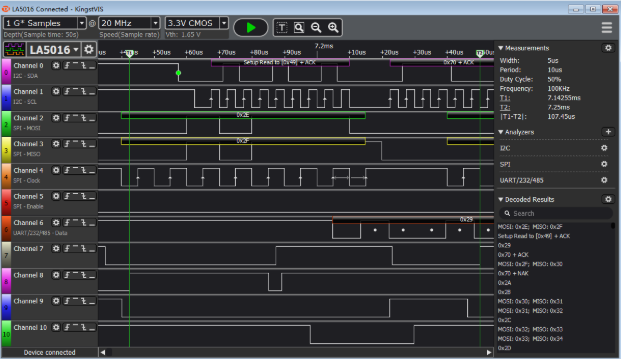
Kingst LA2016 (16 ch / 200 MHz) - [~$135] / Kingst LA5016 (16 ch / 500 MHz) - [~$440]
This series marks the entry to the mid-professional range. The LA2016 stands out for including hardware-adjustable thresholds and the highly stable KingstVIS software. It features input protections and a solid aluminum build for better heat dissipation and noise reduction. The LA5016 is a clear evolution, pushing the sample rate to 500 MS/s, which allows for the analysis of signals with fast rise times and the capture of glitches that lower-end models might miss.
It utilizes the KingstVIS software suite.
Link to buy: [LA2016]
Link to buy: [LA5016]
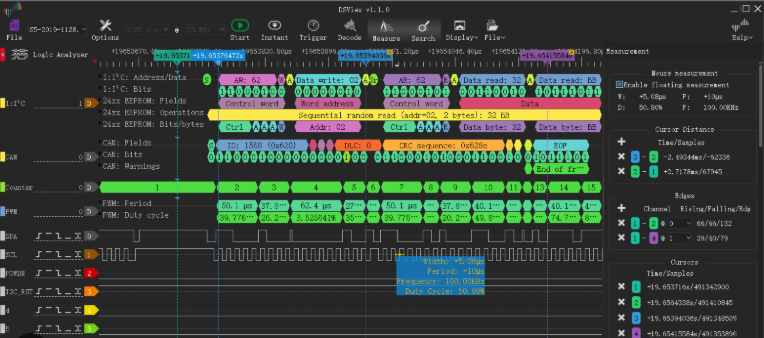
DSLogic Pro (16 ch / 400 MHz) - [~$150] / DSLogic U3Pro16 (16 ch / 1 GHz) - [~$350]
In my opinion, these offer the best value for money on the market right now. You’ll find options covering all price ranges and technical specs. I won’t go into too much detail here since I’ve already deep-dived into them in a previous post.
This is the hardware I daily use, and I haven’t run into a single issue with either the software or the hardware.
Link to post: [read]
Link to buy: [DreamSourceLab Official Store]
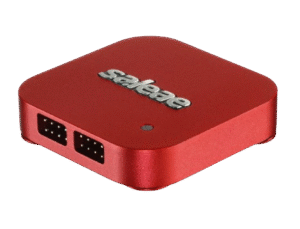
Saleae Logic Pro 8 (8 ch / 500 MHz) - [~$1000+]
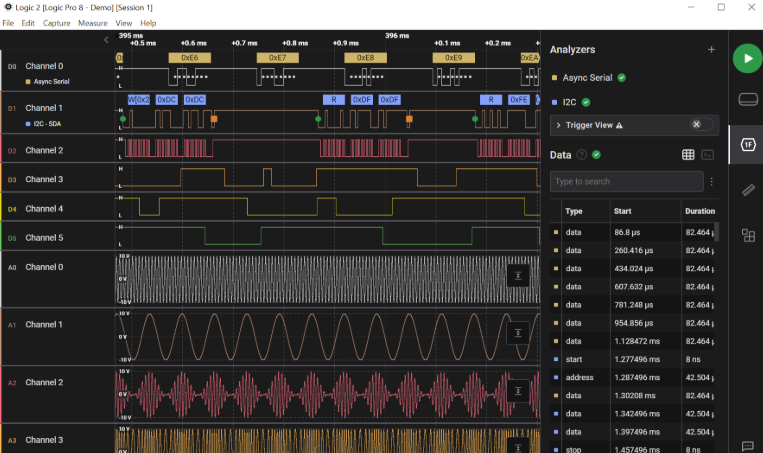
Professional and enterprise-oriented option. The primary value lies in the Logic 2 software. It is the industry standard where software reliability and workflow efficiency are critical. You can often find these at a lower price point by applying active store discounts.
This is arguably the most widely used tool in professional environments due to its long-standing reputation and unbeatable software. From my perspective, however, the price tag is exceptionally high. While it’s a solid product, its specs haven’t evolved much over the years, making it feel somewhat dated compared to newer, more aggressive competitors. That being said, it remains the most reliable and stable option out there, even if the cost is hard to justify for me.
Link to buy: [Click]
Technical Specifications & Price Comparison
| Feature | Generic 24M | ATK-DL16 | ATK-DL16 Plus | Kingst LA2016 | DSLogic Pro (U2PRO16) | DSLogic U3Pro16 | Kingst LA5016 | Saleae Logic Pro 8 |
|---|---|---|---|---|---|---|---|---|
| Channels | 8 | 16 | 16 | 16 | 16 | 16 | 16 | 8 |
| Max Sampling (Buffer Mode) | N/A | 250 MHz (16ch) | 1 GHz (8ch) 500 MHz (16ch) | 200 MHz | 1 GHz (8ch) 500 MHz (16ch) | 1 GHz (8ch) 500 MHz (16ch) | 500 MHz | 500 MHz (4ch) 100 MHz (8ch) |
| Max Sampling (Stream Mode) | 24 MHz | 100 MHz (3ch) 50 MHz (6ch) 20 MHz (16ch) | 100 MHz (3ch) 50 MHz (6ch) 20 MHz (16ch) | 100 MHz (3ch) 50 MHz (6ch) 20 MHz (16ch) | 100 MHz (3ch) 50 MHz (6ch) 25 MHz (12ch) 20 MHz (16ch) | 1 GHz (3ch) 500 MHz (6ch) 250 MHz (12ch) 125 MHz (16ch) | 100 MHz (3ch) 50 MHz (6ch) 20 MHz (16ch) | 500 MHz |
| Interface | USB 2.0 | USB 2.0 | USB 2.0 | USB 2.0 | USB 2.0 | USB 3.0 | USB 2.0 | USB 3.0 |
| Input Voltage Range | 3.3V – 5V | 0 – 5VDC | 0 – 5VDC | 0 – 5VDC | 0 – 5VDC | 0 – 5VDC | 0 – 5VDC | 0 – 5VDC |
| Buffer Memory | N/A | 1 Gbit | 3.5 Gbit | 1 Gbit | 4 Gbit | 2 Gbit | 1 Gbit | Unlimited (PC RAM) |
| Software | PulseView / Logic | ATK-Logic | ATK-Logic | KingstVIS | DSView | DSView | KingstVIS | Saleae Logic 2 |
| Budget (Approx.) | 5€ / $6 | 63€ / $70 | 103€ / $115 | 120€ / $135 | 160€ / $180 | 320€ / $350 | 400€ / $440 | 1000€+ / $1100+ |
All models are compatible with Windows, Linux, and macOS.
Conclusion
I hope this guide has helped you choose the logic analyzer that best fits your needs. From my perspective, these tools are essential and a must-have for any lab. Personally, I don’t mind investing a bit more to ensure peace of mind, knowing the equipment will last a long time and won’t struggle when analyzing high-frequency signals.
Which logic analyzer are you currently using? I’ll be reading and replying to your thoughts in the comments below!
Nice article!, I want to start learning embedded system and a logic analyzer seems to be a MUST and this article has a nice overview. A lot of people says that the Saleae has the best software to work with, I like that, but, the price!! dang!, high for a beginner, will the ‘cheapest’ Saleae it’s worth it?, the one you mentioned it’s 999 USD
Hi Cisco! For me, this is absolutely essential if you are learning. It’s going to help you debug hardware and firmware errors, and it will help you learn protocols since you’ll be able to see how they actually work.
As for the software, Saleae’s is the best, but I think the price is way too high. It’s true they have student plans and you could get it cheaper, but they are still very expensive. I use the ones from DreamSourceLab—I actually have a blog post about it. The price is much lower and the performance is just as good, if not better. Maybe their software is a bit worse (though it’s very similar), but it’s just a matter of getting used to it.
Take a look at my post for more details; you can find some really good options for around €100–150, so you don’t have to spend that much money if you’re just starting out. If you have any questions or need more details, just drop me a line.
Best regards,
Hello.
I asked for a discount to Salea but the cheapest device it’s like 250 USD (with discount) and from what I’ve seen DreamSourceLab has more powerful for less money logic analyzer, do you think I should get Salea’s probes for DSlogic?, I watched a video that the cables of Dslogic all are the same color and I not that good quality??, or what other probes do you suggest? (brand, model) also, someone pointed that “Saleae offers significantly better and broader over-voltage protection.”, 25v VS 5v Dslogic, something very important to keep in mind? Thanks
Hi there, that’s why I recommend DSLogic. If you’re going to buy it on AliExpress, make sure it’s from the official store. The links in my posts point to the official store, as there are clones out there.
Regarding the probes, don’t buy the Saleae ones because they aren’t the same and aren’t compatible. I have the DSLogic U2Pro16 and I don’t think the quality is bad at all; plus, the wire ends are color-coded for easy identification. I’m not sure which other probes might be compatible.
As for protection, obviously the more you have, the better, but in the end, you just need to be sure about the voltage range of whatever you are connecting. You can always run a quick check beforehand with a multimeter to see if it’s 12VDC or 24VDC. However, you’ll mostly be using it to work with data lines or GPIOs, which on a microcontroller operate at 1V8, 3V3, and at most 5VDC.
If I buy a DSlogic, it’s going to be from Amazon or any other company from USA, I live in South America and it’s more trouble to ship things from China to my country, sounds weird that people make clones from a product like DSLogic. I bought a decent multimeter UNI-T UT61E+ will remember that tip. Thanks!